In this article
- Why Google Shows Images Next to Search Snippets
- The Difference Between a Plain Result and a Rich Visual Result
- How to Optimize Your Images for Search
- Structured Data and Image-Rich Results
- Image SEO for E-Commerce and Local Businesses
- How Visual Search Is Changing in the AI Era
- A Practical Image SEO Checklist
- Related Services
- Frequently Asked Questions
- Get Expert Help With Image SEO
Image SEO is what decides whether your pages earn a thumbnail next to their search snippet, surface in Google Images, and get pulled into the rich, visual results that now dominate everyday queries. If you have ever searched for a recipe, a product, or a "near me" service and seen small pictures sitting right beside the blue links, you have already met the feature this article unpacks. Here you will learn what image-rich search results are, why Google shows them for some pages and not others, and the practical, white-hat steps your business can take to win that visual real estate.
Editor's note: this post originally appeared in 2016, when Google began showing image thumbnails next to web search snippets for food-related queries. That specific rollout is now old news, so we have re-angled the piece into an evergreen guide to image SEO and visual search results: the durable idea underneath the original observation.
Image SEO is the practice of optimizing the images on your website (their files, markup, and surrounding content) so search engines can understand them, index them, and display them in visual search features.
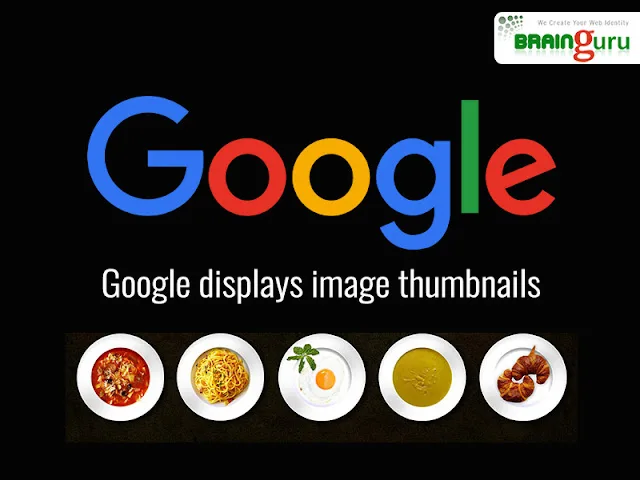
Why Google Shows Images Next to Search Snippets
Search engines exist to give people the fastest, most useful answer, and for many intents, a picture communicates faster than a sentence. When someone looks up a dish, a product, a hotel, or a how-to, a relevant thumbnail helps them judge at a glance whether a result fits. That is why Google has steadily expanded the places where images appear: beside web snippets, inside rich results, in the dedicated Images tab, and within AI-generated overviews.
The original version of this post noticed thumbnails appearing for food queries even on pages without recipe markup. The lasting lesson is simple: Google decides when a visual adds value to a result, and pages with clean, relevant, well-described images are far likelier to be chosen. You cannot force a thumbnail, but you can make your images the obvious candidate.
The Difference Between a Plain Result and a Rich Visual Result
A standard result is a title, URL, and text snippet. A rich or visual result adds something extra: a thumbnail, a star rating, a price, or a carousel of images. Understanding which is which helps you set the right expectation for each page.
| Aspect | Plain text result | Image-rich / rich result |
|---|---|---|
| What appears | Title, URL, snippet | Snippet plus thumbnail, rating, price or image carousel |
| What triggers it | Default for most pages | Relevant images, strong context, often structured data |
| Effect on clicks | Baseline | Higher visual prominence and stronger intent match |
| Your control | On-page content and titles | Image quality, alt text, file hygiene and valid markup |
Note that Google never guarantees any rich treatment. Structured data and good images make a page eligible; the search engine still decides per query whether to show the enhancement.
How to Optimize Your Images for Search
Strong image SEO is mostly disciplined housekeeping done consistently across the site. The fundamentals below apply whether you run an online store, a local service, or a content-led brand.
Use descriptive, keyword-aware file names
Rename files before upload so the name describes the subject, for example, masala-dosa-recipe.webp rather than IMG_2048.webp. Search engines read file names as a signal of what the image shows.
Write genuine alt text
Alt text should describe the image clearly for both screen readers and crawlers. Write a natural sentence that reflects what is actually pictured, weaving in a relevant keyword only where it fits honestly. Avoid stuffing the same phrase into every image.
Choose the right format and compress
Modern formats such as WebP and AVIF give sharp images at a fraction of the file size. Compress every image so it loads fast, because page speed influences both ranking and the user experience that keeps visitors on the page.
Make images responsive and lazy-loaded
Serve appropriately sized images for mobile and desktop, and lazy-load below-the-fold visuals so the first screen renders quickly. A fast, responsive design is the foundation every other image tactic sits on, and it ties directly to how well your mobile-friendly website performs in search.
Give every image a relevant context
An image is judged partly by the text around it: the heading, caption, and nearby paragraph. Place each image near content that explains it, and add a caption where it helps the reader. This is also where solid content strategy and image SEO reinforce each other.
Structured Data and Image-Rich Results
For certain content types (products, recipes, articles, events, and more), adding valid structured data (schema markup) tells Google exactly what your page is about and makes it eligible for richer treatments. The original post correctly observed that some thumbnails appeared without recipe markup, and that is still true: Google can choose images on its own. But structured data measurably improves your odds of qualifying for enhanced results, so it is worth implementing wherever it genuinely applies.
- Use the correct schema type for the page (Product, Recipe, Article, LocalBusiness, and so on).
- Reference high-quality, crawlable image URLs inside the markup.
- Validate your markup with Google's Rich Results Test before publishing.
- Never mark up content that is not visible on the page; that violates Google's guidelines.
If you are mapping out a broader organic plan, our complete SEO guide for Indian businesses places image and structured-data work inside the full picture, and the SEO services team can implement schema in line with Google's structured data guidelines.
Image SEO for E-Commerce and Local Businesses
Two kinds of business benefit most from visual search. For online stores, product images are the deciding factor in both clicks and conversions: clean, well-named, well-compressed photos with accurate alt text and Product schema can earn image-rich listings that lift traffic. Our e-commerce SEO services and the practical e-commerce marketing guide go deeper on this.
For local and service businesses, images of your premises, team, and work strengthen your presence in local search and on your business profile. Authentic photos help searchers in Delhi NCR, Noida, and beyond trust that you are a real, nearby provider before they ever click.
How Visual Search Is Changing in the AI Era
The thumbnails this post first described were an early sign of a much larger shift: search is becoming multimodal. Tools that let people search with an image, and AI overviews that blend text and pictures into a single answer, mean visual content now feeds the answer itself, not just the link list. Optimizing your images well today also prepares you for how generative engines cite and display sources.
If that direction matters to your brand, see how to prepare for AI-driven search, what Google AI Overviews mean for Indian businesses, and how our GEO services help you stay visible as search evolves.
A Practical Image SEO Checklist
- Rename image files descriptively before uploading.
- Write honest, specific alt text for every meaningful image.
- Serve modern, compressed formats (WebP/AVIF) at responsive sizes.
- Lazy-load below-the-fold images for faster first paint.
- Surround each image with relevant text and a caption where useful.
- Add and validate structured data wherever it genuinely applies.
- Keep a clean image sitemap so crawlers can find every visual.
Related Services
- Expert SEO Services Rank Higher & Grow Online
- AI Marketing for Restaurants & Food Business
- AI Solutions for Restaurants
- Local SEO Services
- Best AI SEO Tools 2026 | Top 10 AI-Powered SEO Tools Reviewed
- AI SEO Automation | AI-Powered SEO Services India
Frequently Asked Questions
Why does Google show image thumbnails next to some search results?
Google adds a thumbnail when it judges that a picture helps the searcher decide if the result fits their intent, which is common for food, products, places, and how-to queries. Pages with clear, relevant, well-described images are the most likely to be chosen.
Can I force Google to display a thumbnail for my page?
No. You cannot force any rich treatment. You can only make your page eligible with high-quality images, clean markup, and strong context, after which Google decides per query whether to show the enhancement.
Do I need structured data to get image-rich results?
Not always. Google can choose images on its own, as the original observation about food results showed. However, valid structured data for the right content types significantly improves your chances of qualifying for richer results.
What is the most important image SEO factor?
There is no single factor, but descriptive file names, genuine alt text, fast-loading compressed images, and relevant surrounding content are the foundation. Together they help search engines understand and trust your visuals.
How does image SEO help my business get more traffic?
Well-optimized images can earn thumbnails and rich listings that stand out in results, draw more clicks, and improve page speed and accessibility. For stores and local businesses especially, this often translates into more qualified visitors.
Does image SEO matter for AI and voice search?
Yes. As search becomes multimodal, clear, well-described images on relevant pages help search engines and visual search tools understand your content. Google says AI Overviews need no special markup or structured data; the same image SEO basics apply.
Get Expert Help With Image SEO
Winning visual search is a steady discipline of clean files, honest markup, fast pages, and valid structured data applied across your whole site. If you would rather have specialists handle it end to end, Brainguru Technologies builds image and search strategies that earn visibility and traffic for businesses across India and beyond. Call us at +91-8010010000 or get in touch to discuss your goals.
Related Articles
Title Tags & Meta Descriptions: The SEO Snippet Guide
Title tags and meta descriptions decide who clicks your search result. Learn ideal lengths, how Google displays snippets today, and how to write tags that win.
Read More
Discovered - Currently Not Indexed: What It Means and How to Fix It
Google has found your page but not crawled it. What the status really means, a real example from our own new pages, and what to do (and not do) to get indexed.
Read More
How to Track ChatGPT and AI Assistant Traffic in GA4 (2026)
Where visits from ChatGPT, Perplexity, Gemini and Copilot appear in Google Analytics 4, why the numbers undercount, and how to connect AI referrals to real enquiries.
Read More
Comments
Be the first to share your thoughts on this article.