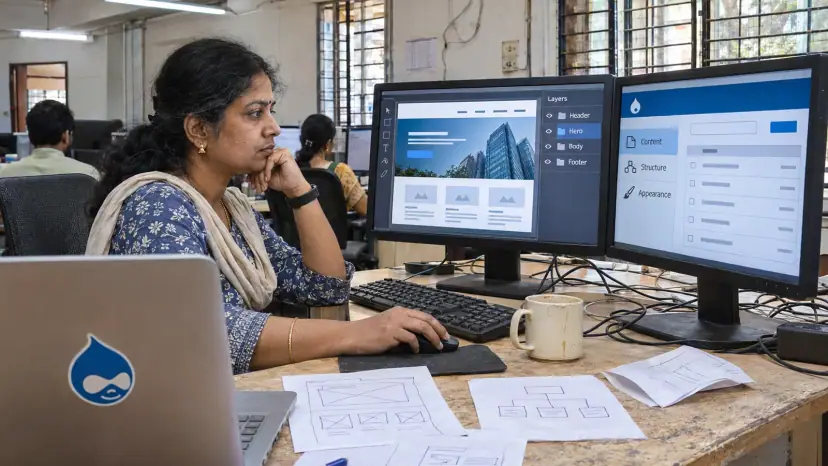
PSD to Drupal conversion builds your design as a custom Drupal theme on a supported version of Drupal, with content types, views and blocks set up so editors can manage the site safely. Brainguru turns Photoshop, Figma or Sketch files into hand-written Twig templates, components and styles that suit large, structured sites.
Who Drupal suits
Drupal is built for sites with a lot of structured content and many people editing it: universities, government bodies, publishers, membership organisations and large company sites. Its strengths are content types with their own fields, fine-grained roles and permissions, editorial workflows, and strong support for several languages.
That focus shows in who uses it. W3Techs reported on 5 November 2026 that Drupal runs 0.6% of all websites, or 0.9% of sites whose CMS it can identify. Yet the HTTP Archive Web Almanac 2025 found Drupal at about 6 to 7% of CMS usage among the 10,000 most visited websites, far above its roughly 1% share overall.
For a small brochure site or a blog, Drupal can be more than you need. Our PSD to WordPress service may be a simpler fit.
Build on a supported Drupal version
A new theme is a good moment to check which Drupal version you are on. Drupal 7 reached its end of life on 5 January 2025, as the project announced in its public service announcement of 7 June 2023. Even so, W3Techs found version 7 still running on 28.9% of Drupal sites in November 2026.
The newer versions also have dates to plan around. The Drupal core release schedule lists Drupal 11.0.0 as released on 2 August 2024. The same page gives the end-of-life date for each supported major version, so check it before you plan a new theme or an upgrade.
If your site still runs Drupal 7 or 10, we usually recommend building the new theme on the current major version and moving the content at the same time, rather than theming an old version that will soon need replacing.
Our PSD to Drupal conversion process
- Design and content review: We map each layout to content types, fields, views and blocks, and list states the design does not show.
- Content model: We agree the content types, taxonomies, roles and editorial workflow before any theming.
- Front-end build: Each layout is hand-coded as reusable components and checked on phones, tablets and desktops.
- Theme integration: Components become Twig templates and libraries in a custom theme, with no changes to Drupal core.
- Modules and configuration: Contributed modules for search, forms, media, SEO and languages are installed and configured.
- Content migration: Content from an older Drupal version or another CMS is moved with Drupal's migration tools where possible.
- Testing and launch: We check browsers, devices, speed, accessibility and permissions, then deploy and hand over.
Content editing that stays on brand
The main risk on a large site is that editors gradually break the design. A good Drupal theme prevents this by giving editors structured fields and a fixed set of components, rather than a blank page and a toolbar. Image styles crop and size pictures automatically, and text formats limit what editors can paste in.
We set up roles so that authors, editors and administrators each see only what they need, and add a draft, review and publish workflow where your team requires one.
Accessibility, speed and search
Drupal gives accessibility a good starting point. In the WebAIM Million 2026 study, Drupal home pages averaged 41.2 detected errors, 26.5% fewer than the average home page. A custom theme can still undo that with poor contrast, unlabelled forms or missing focus styles, so we test with a keyboard and a screen reader as well as automated tools. A full WCAG audit is available through our accessibility testing service.
For speed, we keep component CSS and JavaScript small and load them only where used, and configure Drupal's caching. For search, the theme outputs clean headings and readable addresses, and works with the SEO modules you choose. Our page on SEO-friendly web design explains what design can and cannot do for rankings.
What drives the cost of a Drupal project?
- Templates and components: The number of unique layouts and reusable parts.
- Content model: Content types, fields, views and taxonomies to build.
- Roles and workflow: Editorial review steps and permission rules.
- Languages: Interface and content translation set-up and testing.
- Migration: Moving content from Drupal 7, Drupal 10 or another CMS, and redirecting old addresses.
- Integrations: Single sign-on, CRMs, search services and other systems.
Each estimate is prepared after a free consultation in which we look at your designs and current site, and we can sign a non-disclosure agreement before you share files.
Questions to ask before a Drupal project
- Version: Which Drupal version will the theme be built on, and how long is it supported?
- Modules: Which contributed modules are planned, and are they maintained for that version?
- Editors: Can your team build new pages from components without breaking the layout?
- Migration: How will content, files, users and old addresses be moved and checked?
- Updates: Who applies Drupal security releases after launch?
If the site also needs a wider rebuild, our website redesigning team can plan the design and the migration together.