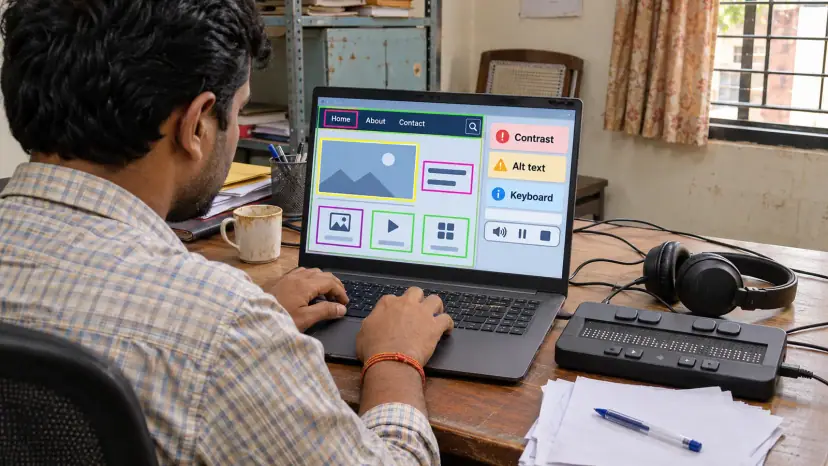
Accessibility testing checks whether people with disabilities can use your website, web app, mobile app or documents: people who are blind or have low vision, who are deaf, who cannot use a mouse, or who process information differently. Brainguru tests against WCAG, reports each barrier with a clear fix, and checks again once your team has fixed it.
Why accessibility testing matters now
Accessibility affects a large share of your users. The World Health Organization's 2023 fact sheet estimates that 1.3 billion people, 16% of the world's population, experience significant disability. Add older users, people with a temporary injury and people using a phone in bright sunlight, and the number who benefit from accessible design is larger still.
Most websites still fall short. The WebAIM Million 2026 report found detected WCAG 2 failures on 95.9% of the top one million home pages, up from 94.8% in 2025, with an average of 56.1 detected errors per page. Those are only the errors an automated tool can find, so the real picture is worse.
- Legal exposure: Many countries have accessibility laws for public bodies, and some extend them to private businesses that serve the public. Barriers can lead to complaints, lost tenders and legal costs.
- Lost customers: A checkout that cannot be completed with a keyboard or a screen reader is a checkout some people will abandon.
- Better products for everyone: Clear labels, good contrast, captions and predictable navigation help every user, not only people with disabilities.
- Procurement: Larger buyers and government departments increasingly ask suppliers to show how their software meets an accessibility standard.
Which standards do we test against?
The Web Content Accessibility Guidelines (WCAG), published by the W3C, are the reference point for most accessibility laws and contracts. WCAG 2.2 became a W3C Recommendation on 5 October 2023, and the W3C's summary of what is new in WCAG 2.2 lists 9 additional success criteria since WCAG 2.1, covering areas such as focus visibility, dragging movements, target size and accessible authentication. Content that meets WCAG 2.2 also meets 2.1 and 2.0.
Most projects aim for Level AA, the level that laws and contracts usually name. We also test against the requirements that apply in your markets:
- United States: The ADA, and Section 508 for federal agencies and their suppliers. The Department of Justice rule for state and local governments sets WCAG 2.1 Level AA as the technical standard. After an interim final rule published on 20 April 2026, governments with a population of 50,000 or more must comply by 26 April 2027, and smaller ones by 26 April 2028.
- European Union: The European Accessibility Act, which covers many consumer products and services, including e-commerce and banking.
- India: The Rights of Persons with Disabilities Act, 2016, and the accessibility guidance used for government websites.
We do not give legal opinions. We tell you clearly where your product meets the standard and where it does not, so your legal advisers can judge the risk.
Our accessibility testing services
Automated scanning: Tools scan every template and key page for missing alt text, low contrast, empty links, missing form labels and broken heading structure. Automated checks are fast, but they catch only part of the problem.
Manual expert review: A tester works through each WCAG success criterion by hand, judging what tools cannot, such as whether alt text is meaningful, whether focus order makes sense, and whether error messages explain how to fix the error.
Assistive technology testing: We use your product the way disabled users do, with screen readers such as NVDA, JAWS, VoiceOver and TalkBack, with screen magnification, with voice control and with a keyboard alone.
Keyboard and focus testing: Every menu, dialog, form and custom widget must be reachable and usable without a mouse, with a visible focus indicator and no keyboard traps.
Colour and visual testing: We measure contrast ratios, check that colour is never the only way information is shown, and test content at 200% zoom and in narrow layouts, which is where responsive web design and accessibility overlap.
Mobile app testing: We test iOS and Android apps with VoiceOver and TalkBack, checking touch target sizes, gestures, orientation and dynamic text sizes. This fits alongside our wider mobile app testing.
Documents and media: PDFs, forms, videos and audio need tagged structure, reading order, captions, transcripts and audio description where the visuals carry meaning.
Remediation support: We explain each issue in terms a developer can act on, suggest code-level fixes, and can work with your designers on patterns that stay accessible as the product grows.
Why automated scans are not enough
An automated scanner can confirm that an image has alt text, but not that the text describes the image. It can find a form field without a label, but not a label that makes no sense. It cannot tell whether a screen reader user can follow a checkout from start to finish. That is why a scan with no errors is not a pass, and why the WebAIM figures above understate the problem.
The most reliable approach combines both: automated checks to cover every page quickly and catch regressions in each release, and manual testing with assistive technology on the journeys that matter most, such as sign-up, search, checkout, booking and contact forms.
How an accessibility audit works
- Scope: We agree the target standard, usually WCAG 2.2 Level AA, and pick a representative sample of templates, components and user journeys.
- Automated pass: We scan the sample and the wider site to find common, repeated issues.
- Manual and assistive technology pass: Testers work through the key journeys with screen readers, keyboard-only use and magnification.
- Report: Each issue lists the WCAG criterion, where it occurs, who it affects, its severity, and a recommended fix.
- Fix and retest: Once your team has fixed the issues, we retest them and confirm which are resolved.
- Ongoing checks: For products that change often, regular audits and automated checks in the release pipeline stop new barriers creeping in.
Common accessibility problems we find
- Low contrast text: Light grey text on white is one of the most frequent failures.
- Missing or poor alt text: Images that carry meaning but say nothing to a screen reader.
- Unlabelled forms: Fields that rely on placeholder text, which disappears when the user starts typing.
- Custom controls: Dropdowns, tabs and sliders built from generic elements that keyboards and screen readers cannot operate.
- Focus problems: Pop-ups that do not move focus, or focus that disappears off screen.
- Unclear errors: Error messages shown only in red, or with no explanation of what went wrong.
- Inaccessible PDFs: Scanned documents with no text layer or reading order.
When should you test for accessibility?
The cheapest time is before launch. Fixing a colour palette or a component library during design costs far less than fixing the same issue across hundreds of live pages. Good moments to test are during design, before a major release, during or after a website redesign, before a procurement deadline, and whenever a complaint arrives.
Accessibility also works best as part of normal quality checks rather than a one-off event. It sits naturally with usability testing, which looks at how easily people complete tasks, and with your wider QA and testing process.
What affects the cost of an accessibility audit?
We quote each audit after scoping it. These are the factors that drive the effort:
- Size and variety: The number of unique templates and components matters more than the raw page count.
- Target level: Level AA takes more work than Level A, and AAA more again.
- Platforms: A website, an iOS app and an Android app are three separate test efforts.
- Interactivity: Dashboards, editors and complex forms take longer than content pages.
- Documents and media: PDFs and videos are tested separately from web pages.
- Retesting and support: One-off audits cost less than ongoing monitoring with retests.
Questions to ask an accessibility testing provider
- Method: How much of the testing is manual, and which assistive technologies do you use?
- Standard: Which WCAG version and level will the report use?
- Report: Does each issue include the criterion, location, severity and a practical fix?
- Retesting: Is a retest included once fixes are made?
- Overlays: Do you rely on a script or widget that claims to fix accessibility automatically? A script added on top of the page cannot fix problems in the underlying code, so it is no substitute for testing and fixing.
We are happy to answer each of these in a free consultation before any commitment.