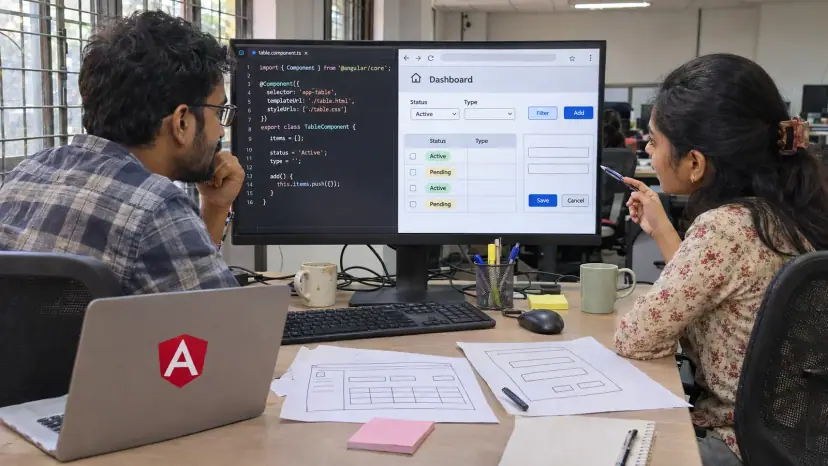
AngularJS development services cover the upkeep of applications built on AngularJS, the original 1.x framework, their migration to modern Angular, and new Angular builds. Brainguru helps businesses keep older AngularJS apps working safely, plan a step-by-step move to a supported framework, and build new web applications in current Angular versions.
AngularJS and Angular: what is the difference?
AngularJS is the original JavaScript framework from the Angular team at Google for building single-page applications, and many business systems still run on it. Angular, sometimes called Angular 2+, is its successor: a full rewrite in TypeScript with components, a different change detection model and its own tooling. The names are similar, but moving from one to the other is a migration, not an upgrade.
The key fact for any business still on AngularJS is support. According to the official AngularJS documentation, AngularJS support officially ended in January 2022. No new security patches come from the Angular team, so any newly found weakness in the framework stays open unless you fix or replace it.
AngularJS is still common in practice. In the Stack Overflow 2025 Developer Survey, 7.2% of all respondents said they had used AngularJS in the past year, alongside 18.2% for modern Angular. If your team is among them, you are not alone, but the risk grows each year.
Our AngularJS development services
- Legacy support: Bug fixes, small features and performance work for AngularJS applications that must keep running while a migration is planned.
- Risk review: A code and dependency review that lists outdated libraries, known weaknesses and the parts of the app that change most often.
- Hardening: Practical steps to reduce risk on an unsupported framework, such as a strict content security policy, input sanitisation and tighter server-side checks.
- Migration to Angular: Moving the application to a current Angular version in stages, screen by screen or module by module.
- Rewrites where they make sense: Rebuilding in Angular or another framework when the old code is too tangled to migrate.
- New Angular applications: Dashboards, portals, admin panels and customer-facing apps built in current Angular.
- Testing and maintenance: Automated tests, version upgrades and support after launch.
How to migrate from AngularJS to Angular
There are three common routes, and the right one depends on the size of the app, how often it changes and how much risk you can accept.
| Route | When it usually fits |
|---|---|
| Incremental, running both frameworks side by side | Large apps that must keep shipping features during the move |
| Module-by-module rewrite behind the same URLs | Apps with clear sections that can be swapped one at a time |
| Full rewrite | Small apps, or code so outdated that migration costs more than starting again |
A typical incremental project looks like this:
- Audit: Map modules, routes, shared services, third-party libraries and test coverage.
- Prepare: Tidy the AngularJS code into components, move to TypeScript where possible and add tests around the most used journeys.
- Bridge: Run Angular alongside AngularJS so new screens can be built in Angular straight away.
- Move in slices: Migrate one feature at a time, release it, and check it with real users.
- Retire: Remove AngularJS once the last screen has moved, and clean up the build.
The biggest risks are hidden dependencies, such as old plugins with no Angular version, and missing tests, which make it hard to prove that a migrated screen behaves like the old one. Planning for both is most of the work.
Building new applications in Angular
Angular suits large, long-lived business applications where structure matters: admin systems, dashboards, internal tools, portals and products with many forms and user roles. It comes with routing, forms, HTTP handling and testing tools built in, and it is written in TypeScript, which Stack Overflow 2025 Developer Survey respondents used at a rate of 43.6%. That makes code easier to maintain across a large team.
Angular also has a predictable release policy. According to the Angular versioning and releases page, the team plans a major release every 12 months, and each major version is typically supported for 24 months: 12 months of active support and 12 months of long-term support with critical fixes and security patches. Plan an upgrade at least once a year so you never fall out of support again.
Angular is not always the right choice. For a small marketing site or a simple app, a lighter framework may be quicker. Our React development services and frontend development services cover the alternatives, and we will recommend the one that fits your product.
Performance and security in Angular apps
Speed on real devices matters for business apps as much as for public websites. The HTTP Archive Web Almanac 2024 found that 43% of websites had good Core Web Vitals measured with Interaction to Next Paint. In Angular, lazy-loaded routes, deferred loading of heavy components and careful change detection keep large apps responsive, and performance testing under realistic load shows whether they stay that way.
On security, Angular escapes values in templates by default, which helps prevent cross-site scripting, but the server must still check every permission. Broken access control is first in the OWASP Top 10:2025, which reports that 100% of applications tested had some form of it. Hiding a button in the interface is not access control. Our security testing covers both the front end and the APIs behind it.
Who we work with
- Companies with legacy AngularJS systems: Internal tools, portals and products that still run on AngularJS and need a safe path forward.
- Startups: New Angular products built with a structure that can grow.
- Enterprises: Large applications with many roles, forms and integrations with ERP, CRM and identity systems.
- Software teams: Extra Angular developers working alongside your own team, through our dedicated resources model.
We work with clients in India and abroad, with delivery from our Noida office.
What affects the cost of an AngularJS or Angular project?
We do not publish prices. These factors drive the estimate:
- Size of the existing app: The number of screens, modules and shared services to migrate.
- Code quality and tests: Well-structured code with tests moves faster than tangled code without them.
- Third-party libraries: Old plugins with no modern equivalent need replacing or rebuilding.
- Integrations: APIs, single sign-on and back-end changes needed along the way.
- Feature work during migration: Shipping new features at the same time adds effort but keeps the business moving.
- Engagement model: A fixed-scope migration or a dedicated team over a longer period.
Questions to ask before you start
- Which parts of the app change most often, and should they move first?
- Which libraries have no Angular version, and what will replace them?
- How will you prove each migrated screen behaves like the old one?
- How will the app stay within Angular's support window after the move?
We are happy to work through these in a free consultation.