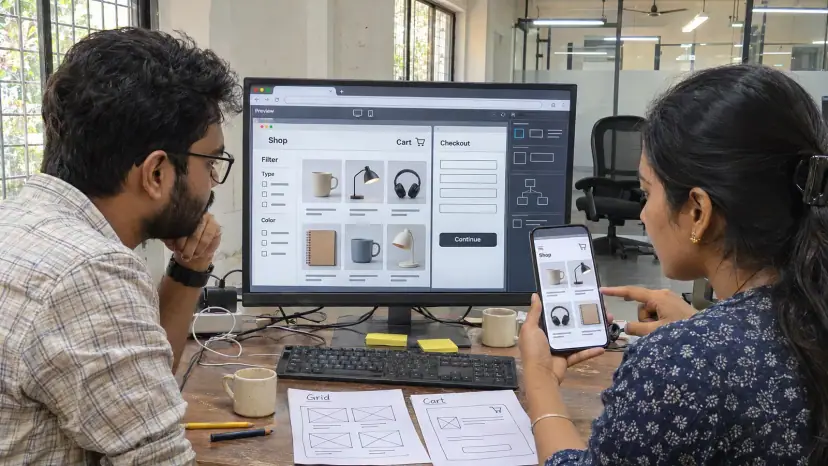
Ecommerce web design is the planning and design of an online store so shoppers can find products, trust what they see and finish checkout without friction. Brainguru designs and builds stores on Shopify, WooCommerce, Magento or custom code, with mobile-first layouts, clear product pages, a short checkout and the integrations your team needs to run it.
Why ecommerce web design matters
Most visitors to an online store leave without buying. Baymard Institute calculates an average documented cart abandonment rate of 70.22%, based on 50 studies. Some of that is normal browsing, but a part of it is caused by the design itself: in Baymard's research, 17% of US online shoppers had abandoned an order because of a too long or complicated checkout.
The opportunity is large. Baymard estimates that the average large ecommerce site can gain a 35.26% increase in conversion rate through better checkout design alone. In India, the market keeps growing: IBEF reports an online shopper base of nearly 290 to 300 million in 2025. More shoppers means more competition, and a store that is hard to use loses sales to one that is easy.
What good ecommerce design includes
- Clear navigation and search: Categories that match how shoppers think, filters that work on mobile, and a search box that handles spelling mistakes and synonyms.
- Product pages that answer questions: Good photos, sizes, delivery dates, return terms and reviews, placed where shoppers look for them.
- Mobile-first layouts: Thumb-friendly buttons, readable text and fast pages on mid-range phones and slower networks.
- Trust signals: Clear prices including taxes and delivery, contact details, secure payment and a visible returns policy.
- A short checkout: Guest checkout, as few form fields as possible, address autofill and the payment methods your customers use.
- Accessibility: Good contrast, labelled form fields and keyboard support, so more people can buy. Our accessibility testing checks this before launch.
Our ecommerce web design services
Custom store design and build: From a simple storefront to a multi-vendor marketplace, designed around your products, customers and brand.
UX and UI design: Wireframes, prototypes and visual design for category, product, cart and checkout pages, based on research and testing, as in our UI/UX design service.
Responsive and mobile design: Layouts that adapt to every screen, tested on real devices rather than only on a desktop browser.
SEO-ready structure: Clean URLs, a sensible category structure, editable titles and descriptions, product structured data and fast pages, so the store can be found in search.
Payment integration: Gateways such as Razorpay, PayU, Stripe or PayPal, chosen by the markets you sell to and the provider's current onboarding rules, plus UPI, cards, wallets and cash on delivery where they fit.
Cart and checkout improvement: Fewer steps and fields, clear error messages, saved carts and order summaries that leave no surprises.
Integrations: CRM, inventory, shipping, accounting and marketing automation tools connected to the store.
Support and maintenance: Security updates, platform upgrades, bug fixes and design improvements after launch.
Choosing a platform
The platform decides how much you can customise, who hosts the store and what it costs to run. The HTTP Archive Web Almanac 2024 detected nearly 2.5 million websites built on ecommerce platforms in 2024, with WooCommerce on 35.8% and Shopify on 19.6%, the two most used.
| Platform | Usually suits |
|---|---|
| Shopify | Brands that want hosting, security and updates handled, with themes and apps for most needs |
| WooCommerce | Businesses already on WordPress, or with content-heavy stores that need flexibility |
| Magento (Adobe Commerce) | Large catalogues, B2B features and several stores on one platform |
| OpenCart | Smaller stores that want a lightweight, self-hosted option |
| Custom build | Unusual buying journeys or deep integration with existing systems |
The Web Almanac groups these by model: software-as-a-service platforms such as Shopify, platform-as-a-service options such as Adobe Commerce (Magento), and self-hosted platforms such as WooCommerce. A hosted platform costs less to run but limits changes; a self-hosted one gives control but needs more upkeep.
Speed matters on every platform
Platform choice affects speed, but design and apps matter as much. The same Web Almanac chapter found that only 34% of WooCommerce sites had a good Largest Contentful Paint score on mobile, and that Magento's pass rate for Interaction to Next Paint was 49%. Heavy themes, large images, too many apps and third-party scripts slow a store down on any platform. We set a performance budget for each page type and test on real phones before launch.
The ecommerce web design process
- Discovery: Your products, customers, competitors, current analytics and business goals.
- Information architecture: Categories, filters, search and page types planned before design starts.
- Wireframes and design: Layouts for each key page, then visual design, reviewed with you.
- Build and integration: The store, payment gateways, shipping and other tools, set up and connected.
- Testing: Functional, speed, security and usability testing with real tasks, such as finding a product and paying.
- Launch and support: Redirects from any old store, tracking checks, then ongoing improvement.
Common ecommerce design mistakes
- Forcing account creation: Many shoppers will not create an account just to buy once.
- Hidden costs: Delivery charges or taxes that appear only at the last step.
- Too many form fields: Baymard found the average US checkout shows 23.48 form elements by default, far more than most stores need.
- Weak product photos: Shoppers cannot touch the product, so images and details must do that job.
- Designing on desktop only: Most web traffic now comes from mobile devices.
What affects the cost of ecommerce web design?
We do not publish prices, because stores differ so much. The main cost drivers are the platform, the number of products and variants, custom design versus an adapted theme, the number of page templates, payment and shipping integrations, data migration from an old store, languages and currencies, and the support you need after launch. Platform subscriptions, apps and payment fees are separate running costs.