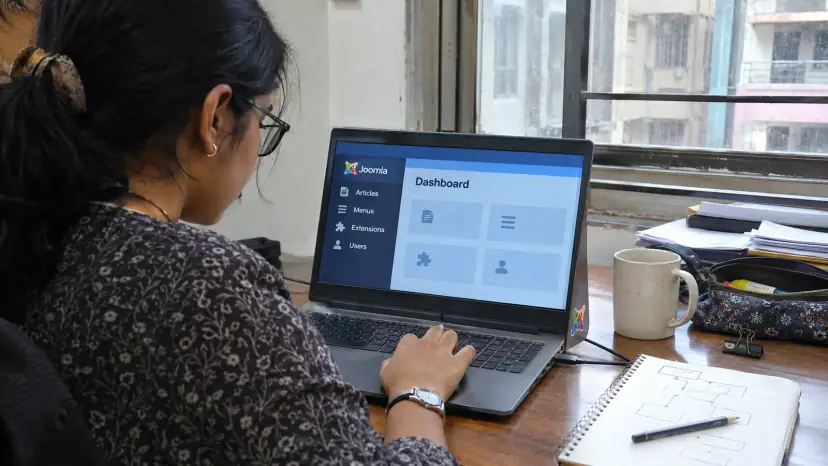
Joomla web development is building and maintaining websites on Joomla, a free, open-source content management system written in PHP. Brainguru designs, builds, migrates and supports Joomla sites for businesses, membership portals and community platforms. This page explains when Joomla is a good fit, what our Joomla work covers, how projects run and what to check before you hire a team.
What Joomla is and who uses it
Joomla is an open-source CMS, originally forked from Mambo and based on PHP and MySQL, according to W3Techs. It sits between a simple blogging platform and a fully custom application: content editors can manage pages without code, while developers can add custom components, modules and plugins when the site needs more.
It is a smaller platform than WordPress but still widely used. W3Techs reported on 5 November 2026 that Joomla is used by 1.6% of all websites whose content management system it knows, or 1.1% of all websites. The Joomla project lists its users as web agencies, companies of all sizes, online shops, bloggers, communities and organisations such as schools, charities and governments.
Why choose Joomla for web development?
Joomla suits sites that need more structure than a basic blog, without the cost of a fully custom build.
- Access control: Joomla's integrated access control list lets you set granular rights for different types of user, which suits membership sites, intranets and portals with editors, reviewers and members.
- Multilingual sites: Joomla can run a multilingual site out of the box, without a separate plugin for basic language handling. This helps businesses that serve customers in several languages.
- Security features: Two-factor authentication is built in, and the project publishes regular security releases. Keeping the core and extensions updated is still your responsibility.
- Extensions and templates: A large library of extensions and templates covers forms, e-commerce, SEO and membership features, and custom extensions fill the gaps.
- Search-friendly structure: Clean URLs, metadata fields and menu-based structure support good search practice when the site is built carefully, as covered in our guide to SEO-friendly web design.
- No licence fee: The software is free. You pay for design, development, extensions you choose, hosting and maintenance.
Is Joomla right for your project?
Joomla is a good choice when you need user roles, structured content or several languages, and when your team will manage content day to day. It is less suited to very simple brochure sites, where a lighter platform may be easier, and to products that are really applications, where a custom build gives more control. If you are comparing platforms, our pages on Drupal web development and WordPress web design explain the alternatives.
| Your need | Joomla fit |
|---|---|
| Corporate site with several editors | Good: roles and workflows keep publishing under control |
| Membership or community portal | Strong: access levels and user groups are built in |
| Multilingual site | Strong: language handling is part of the core |
| Online store | Possible through extensions; compare with dedicated e-commerce platforms |
| Complex web application | Often better as a custom build |
Our Joomla web development services
Custom Joomla websites: Responsive sites with clear navigation and the features your business needs, built on a current Joomla version.
Templates and themes: Custom templates that match your brand, work on phones, tablets and desktops through responsive web design, and behave the same across browsers. If you have a design file, our PSD to Joomla conversion service turns it into a working template.
Extensions and modules: Custom components, modules and plugins when off-the-shelf extensions do not fit your process, plus configuration of trusted third-party extensions.
E-commerce on Joomla: Online stores built with e-commerce extensions, payment gateway integration, carts and stock management.
Migration and upgrades: Moves from older Joomla versions, or from other platforms, with planning to keep content, URLs and search value.
Maintenance and support: Security updates, extension updates, backups, performance work and fixes after launch.
Why Joomla upgrades matter now
Many Joomla sites run old versions. W3Techs' version breakdown on 5 November 2026 showed version 3 on 51.0% of the Joomla sites it tracks, against 20.4% on version 5 and 10.7% on version 6. Joomla 3 no longer receives updates from the project, so those sites miss security fixes.
The current line is moving fast. The Joomla project released Joomla 6.2 on 13 October 2026. The same day it released Joomla 5.4.10, the last bug fix release for the 5.x series; the project says only security updates will follow for 5.4, for one more year. If your site is on version 3 or 4, plan an upgrade now. If it is on version 5, plan the move to version 6 within that window.
An upgrade is rarely a single click. Templates and extensions written for older versions may not work on newer ones, and some extensions are no longer maintained. A careful upgrade starts with an inventory of every extension, checks each for a supported version or replacement, and tests the whole site on a copy before switching.
Keeping a Joomla site secure
- Update promptly: Apply core and extension security releases soon after they appear, after a quick test on staging.
- Remove what you do not use: Unused extensions and templates are a common way in for attackers.
- Use two-factor authentication: Turn it on for every administrator account.
- Limit admin rights: Give editors only the access their role needs.
- Back up and test restores: A backup you have never restored is only a hope.
How a Joomla project runs
- Discovery: We agree goals, users, content types, roles, languages and integrations.
- Structure and design: Menus, content structure and page designs, approved before build.
- Build: Template, extensions and content types on a staging site.
- Content and migration: Content entered or migrated, with redirects planned for any changed URLs.
- Testing: Functional, browser, mobile, speed and accessibility checks, plus a security review of extensions.
- Launch and support: Go-live, training for your editors, and an agreed update and backup routine.
What drives the cost of Joomla web development
Cost depends on the number of page templates and content types, whether the template is custom or adapted, how many extensions are needed and whether any must be custom-built, integrations with CRMs or payment gateways, the number of languages, the volume of content to migrate, and the level of ongoing maintenance. A simple brochure site costs far less than a portal with custom components and several user roles. Premium extensions may carry their own yearly licences, so list them early.
How to choose a Joomla web development company
- Current-version experience: Ask which recent sites they built on Joomla 5 or 6.
- Extension policy: Ask how they choose third-party extensions and check that each is maintained.
- Upgrade record: Ask how they handled a migration from Joomla 3 and what broke.
- Maintenance plan: Ask who applies security updates, how quickly and how backups are tested.
- Ownership: Make sure you own the site, the template and admin access from day one.
Why partner with Brainguru
We build Joomla sites with the same discipline as our wider web development work: clear scope, a staging site for review, documented extensions and a plan for updates after launch. We work with clients in India and abroad, and a free consultation is the easiest way to find out whether Joomla is the right platform for your next site.