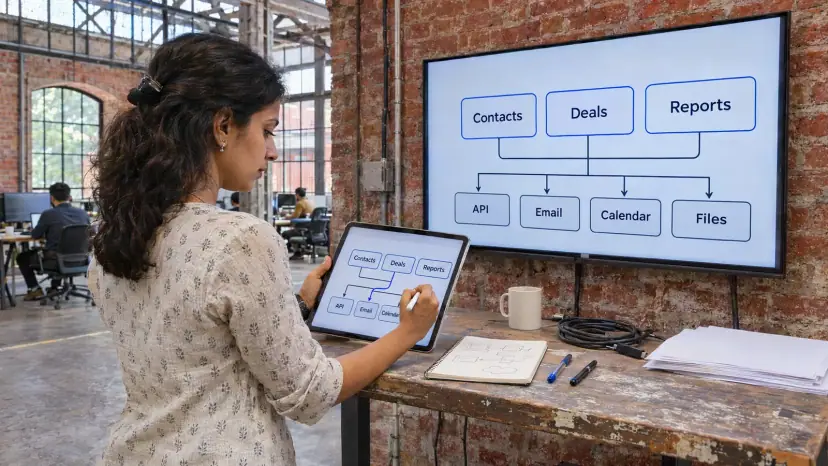
CRM development cost in India depends far more on what you ask the system to do than on the word "CRM". This guide explains what moves an estimate up or down, how custom builds compare with off-the-shelf platforms, which running costs are easy to miss, and how to plan a budget that holds.
Why there is no single price for a CRM
Two projects can both be called "a CRM for our sales team" and still differ several times over in effort. One needs a contact list, a pipeline and a few reports. The other needs approvals, territory rules, WhatsApp and telephony, an ERP link and an audit trail. Any price list that ignores those differences is a guess.
That is why we do not publish prices. We scope the work first, then estimate it line by line, so you can see which part of the budget belongs to which feature. The sections below are the same questions we ask in that scoping conversation, so you can work through them before you speak to any vendor.
What drives CRM development cost in India?
These are the factors that decide most of the estimate, roughly in order of impact:
- Number and depth of modules: Leads and contacts are the starting point. Each extra module, such as quotations, service tickets, field visits or partner portals, adds screens, rules and tests.
- Workflow complexity: A simple pipeline is quick to build. Multi-step approvals, lead routing by region or product, and escalation rules take much longer to design and test.
- User roles and permissions: Every role that sees different data, such as sales reps, managers, finance and partners, multiplies the permission rules that must be built and checked.
- Integrations: Email, calendar, telephony, WhatsApp, payment gateways, accounting and ERP links each add work, more so when the other system has a poorly documented API.
- Data migration: Moving years of records out of spreadsheets or an old CRM, removing duplicates and mapping fields is often the most underestimated task in the project.
- Reporting and analytics: Standard dashboards are quick. Forecasting, commission calculations and custom report builders are not.
- Mobile access: A responsive web app costs less than a separate mobile app with offline mode for field teams.
- Security and compliance: Audit logs, encryption, backups and access reviews are part of the build, not an extra, when you hold customer data.
- Engagement model: A fixed scope suits a well-defined first release. A dedicated team suits a CRM that will keep changing with your sales process.
Off-the-shelf, customised or custom-built?
There are three common routes, and each spends money in a different place.
| Route | Where the money goes |
|---|---|
| Off-the-shelf subscription | Per-user licence fees every year, add-ons, setup, training and an administrator to run it |
| Customised platform such as Salesforce, HubSpot or Zoho | Licence fees plus configuration, custom code, integrations and specialist support for upgrades |
| Custom-built CRM | A larger first build, then hosting, maintenance and enhancements, with no per-user licence |
Off-the-shelf tools are usually the fastest way to start, and they suit teams whose process matches the product. Costs grow with every user you add and every feature locked behind a higher edition. A custom CRM costs more at the start, but you own the code and pay nothing extra per seat. It tends to make sense when your process is unusual, when you need deep links to your own systems, or when a large team makes licences expensive over several years.
A customised platform sits in the middle. It gives you a proven core and lets you add what is specific to your business, but you pay both the licence and the custom work. We compare these routes in detail in our guides on Salesforce versus a custom CRM and HubSpot versus a custom CRM, and in our article on custom versus off-the-shelf CRM cost in India.
Integrations and data: the costs people miss
A CRM is only as useful as the data it holds. In Salesforce's State of Sales report published in February 2026, based on a survey of 4,050 sales professionals, 51% of sales leaders using AI said disconnected systems were slowing their AI plans, and 74% of sales professionals said they were focusing on data cleansing. Both point to the same lesson: budget for integration and clean data, not just screens.
In practice that means three tasks that belong in every estimate:
- Mapping sources: Listing every place customer data lives today, such as website forms, ad platforms, WhatsApp, email, spreadsheets and accounting software.
- Cleaning before moving: Removing duplicates, fixing phone formats and agreeing which record wins when two systems disagree.
- Keeping it connected: Building integrations that keep running after launch, with logs and alerts when a sync fails.
Messaging is a running cost in its own right. WhatsApp Business messages are charged by Meta, so a CRM that sends reminders and follow-ups on WhatsApp needs that cost in the plan. Our article on WhatsApp chatbot development cost in India explains how those charges work.
Why time saved is part of the cost question
The point of a CRM is to give sellers more time to sell and managers a clearer view of the pipeline. The same Salesforce 2026 report found that the average seller spends 40% of their time selling, which leaves most of the week for other work, including manual data entry. When you compare quotes, ask which manual tasks each option removes, not only what it costs to build.
Phones matter here too. In India, 84.25% of web traffic in October 2026 came from mobile devices, according to Statcounter. If your team works in the field, a CRM that is awkward on a phone will not be used, whatever it cost.
Security and compliance in the budget
A CRM holds names, phone numbers, purchase history and often payment details, so it is a target. IBM's Cost of a Data Breach Report 2025 put the average cost of a data breach in India at INR 220 million, and found phishing was the most common way in, at 18% of breaches.
India's Digital Personal Data Protection Rules also shape the build. Under the DPDP Rules notified in the Gazette on 13 November 2025, the main duties apply from 13 May 2027. Rule 6 lists minimum safeguards such as encryption or masking, access control, logs and backups, and Rule 7 requires a detailed breach report to the Data Protection Board within seventy-two hours of becoming aware of a breach. A CRM built today should be ready for both. Our governance and compliance service covers the policy side.
Running costs after launch
The first build is only part of the total cost of ownership. Plan for these from the start:
- Hosting: Cloud servers, databases, backups and monitoring, which grow with users and data.
- Maintenance: Security patches, framework upgrades and bug fixes.
- Enhancements: New fields, reports and workflows as your sales process changes.
- Licences and usage charges: Per-user fees on platforms, plus messaging, telephony and email sending charges.
- Training and adoption: Time for new joiners to learn the system, and an owner inside your team who keeps it tidy.
How to keep a CRM budget under control
- Start small: Build the core journey first, from lead to won deal, and add modules once people use it. Our MVP development approach works the same way for CRMs.
- Write down your process: A one-page description of how a lead moves through your business saves days of discovery.
- Integrate where it removes typing: Prioritise links that stop people copying data between systems.
- Clean data before migration: Paying to move bad data into a new system is money wasted.
- Pick the right contract: Fixed price for a clear first release, time and materials for work that will evolve.
- Plan for growth: Ask how the system will handle more users, more records and new teams before you sign.
Questions to ask any CRM developer
- Estimate: Can you break the estimate down by module, integration and migration?
- Ownership: Who owns the source code, the cloud account and the data at the end?
- Data: Where will the data be hosted, who can access it and how are backups tested?
- Testing: What is tested automatically, and what is checked by hand before each release?
- Support: What does maintenance cover, and how are changes estimated after launch?
- Exit: If we move to another team, what documentation will we receive?
We are happy to answer each of these in a free consultation, along with an estimate built from your own process.