In this article
- Why website speed and mobile-friendliness matter more than ever
- The free tools that test your website today
- How to read your results without getting lost
- Common reasons a website loads slowly
- How to make your website faster and mobile-ready
- Speed and mobile testing as part of a bigger SEO picture
- A simple recurring checklist
- Related Services
- Frequently Asked Questions

A fast, mobile-friendly website is no longer a nice-to-have. It is the baseline for ranking, converting, and keeping visitors who lose patience in seconds. This guide explains how to run a proper website speed test, how to check mobile-friendliness, what the numbers actually mean, and the practical fixes that move them. Whether you run a small business in Delhi NCR or a growing e-commerce brand, you will learn how to measure your site honestly and turn those measurements into faster pages and more leads.
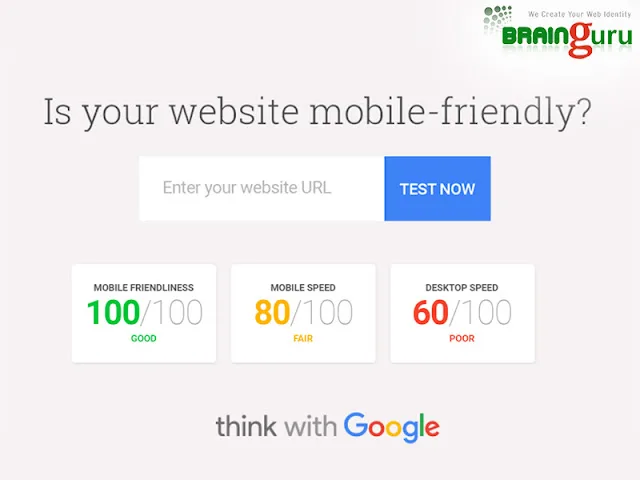
Editor's note: this article was originally published in 2016 when Google introduced a small-business website testing tool at testmysite.thinkwithgoogle.com. That specific tool has since been retired and folded into Google's modern, free testing stack. We have rewritten the post around the evergreen skill it pointed at, testing and improving website speed and mobile usability, using the tools that are current today.
In plain terms: a website speed and mobile-friendliness test is a diagnostic check that measures how quickly your pages load and how well they work on phones, then reports specific issues you can fix.
Why website speed and mobile-friendliness matter more than ever
Mobile searches overtook desktop years ago, and for most Indian businesses the majority of traffic now arrives on a phone over a variable mobile connection. If your pages are slow or awkward to use on a small screen, you lose visitors before they ever see your offer, and Google notices that behaviour too.
Search engines increasingly reward pages that load quickly and behave well on mobile. Google's page experience signals and Core Web Vitals are designed to surface sites that respect the user's time and data. Speed is therefore both a ranking factor and a conversion factor: faster pages tend to rank better and turn more of that traffic into enquiries.
The business case is simple. Every extra second of load time gives an impatient visitor another reason to leave. Fixing speed and mobile usability is one of the highest-return improvements you can make to a site, and it underpins almost everything else in SEO and digital marketing.
The free tools that test your website today
The original 2016 tool has been replaced by a stronger, free toolkit. These are the checks we recommend running, and none of them require you to be technical to get started.
- Google PageSpeed Insights: paste your URL and get separate mobile and desktop scores, plus a prioritised list of fixes. It reports both lab data and, where available, real-world Core Web Vitals from actual visitors.
- Google Search Console: its Core Web Vitals report shows how groups of your pages perform over time using field data, which is more honest than a single one-off test.
- Lighthouse: built into Chrome's developer tools, it audits performance, accessibility, best practices and SEO on any page.
- Independent testers: tools such as GTmetrix or WebPageTest let you test from different locations and connection speeds, which is useful when your audience is spread across regions.
The mobile-friendly check that used to live in a standalone Google tool is now part of these reports and Chrome's device emulation, so you can preview exactly how a page renders on a phone.
How to read your results without getting lost
A score on its own is not the goal; understanding what it measures is. Focus on a small number of metrics that genuinely reflect the visitor's experience.
Core Web Vitals, in plain language
- Largest Contentful Paint (LCP): how long until the main content appears. This is your "is it loading yet?" metric.
- Interaction to Next Paint (INP): how quickly the page responds when someone taps or clicks. This is your "is it responsive?" metric.
- Cumulative Layout Shift (CLS): how much the layout jumps around as things load. This is your "did the button move just as I tapped it?" metric.
Aim for the "good" threshold on each, on mobile first. Treat the colour-coded recommendations as a to-do list ordered by impact, and tackle the items at the top before chasing a perfect score.
Common reasons a website loads slowly
Most slow sites share the same culprits. Diagnosing yours is usually a process of elimination against this list.
- Oversized images: uncompressed photos are the single most common cause of slow pages. Modern formats like WebP and correct sizing fix most of it.
- Too much JavaScript: heavy scripts, sliders, chat widgets and trackers delay interactivity, hurting INP.
- No caching or compression: without browser caching and Gzip/Brotli compression, returning visitors re-download everything.
- Cheap or distant hosting: a slow server means a slow site no matter how clean your code is. A CDN helps serve visitors from a nearby location.
- Render-blocking resources: CSS and fonts that load before content can delay the first paint.
- Bloated themes and plugins: on platforms like WordPress, unused plugins quietly pile on weight.
How to make your website faster and mobile-ready
Once your test points at the problems, the fixes follow a predictable order of effort versus reward.
- Compress and resize every image. Serve appropriately sized images in next-gen formats and lazy-load anything below the fold.
- Trim and defer scripts. Remove what you don't use, defer non-critical JavaScript, and audit third-party widgets ruthlessly.
- Enable caching and compression. Turn on browser caching, server-side compression and, ideally, a content delivery network.
- Choose responsive, mobile-first design. Ensure tap targets are large enough, text is readable without zooming, and nothing overflows the screen; this is core to good responsive web design and UI/UX design.
- Reduce layout shift. Set width and height on images and reserve space for ads and embeds so content doesn't jump.
- Upgrade hosting if needed. If the server response time is consistently slow, better hosting is the fastest single win.
If your site was built years ago, a rebuild on a clean, modern stack often beats patching an old one. Our team handles this through professional web development and WordPress web design focused on performance from the ground up.
Speed and mobile testing as part of a bigger SEO picture
Speed is a foundation, not the whole house. A fast site that nobody can find still won't grow your business. Pair your performance work with the rest of a healthy strategy: technical and on-page SEO, helpful content, and, increasingly, visibility inside AI-driven search results.
For a structured path, see our complete SEO guide for Indian businesses and, if your traffic arrives but doesn't convert, our breakdown of why website traffic doesn't turn into leads. As search shifts toward AI answers, it's also worth understanding how Google AI Overviews affect Indian businesses. Google says there are no extra requirements or special optimisations for appearing there, but the usual SEO fundamentals, including a good page experience, remain worthwhile.
A simple recurring checklist
Make testing a habit, not a one-off panic. A quick quarterly routine keeps performance from drifting:
- Run PageSpeed Insights on your top three pages, mobile first.
- Check the Core Web Vitals report in Search Console for failing URLs.
- Open your homepage on a real phone and time how it feels.
- Review any new images, plugins or scripts added since last time.
- Fix the highest-impact item, then re-test.
Related Services
- Performance Testing Services Optimize Speed & Reliability
- Mobile Website Design Brainguru Technologies
- Responsive Web Design Optimize User Experience
- SEO-Friendly Web Design Brainguru Technologies
- Website Redesigning Services Boost UX & SEO
- Expert SEO Services Rank Higher & Grow Online
Frequently Asked Questions
What is the best free tool to test my website speed and mobile-friendliness?
Google PageSpeed Insights is the best starting point: it is free, gives separate mobile and desktop scores, and lists prioritised fixes. Pair it with the Core Web Vitals report in Google Search Console for real-world data from your actual visitors.
What happened to Google's testmysite.thinkwithgoogle.com tool?
That standalone small-business testing tool was retired. Its purpose now lives inside Google's current free tools (PageSpeed Insights, Search Console's Core Web Vitals report, and Lighthouse in Chrome), which together provide more detailed and up-to-date guidance.
What are Core Web Vitals?
Core Web Vitals are Google's user-centred performance metrics: Largest Contentful Paint (loading), Interaction to Next Paint (responsiveness), and Cumulative Layout Shift (visual stability). They are part of how Google evaluates page experience.
Does page speed really affect my Google ranking?
Yes. Speed and mobile usability are part of Google's page experience signals, and faster pages also reduce the number of visitors who leave early. While content relevance still matters most, speed is a genuine factor and a strong conversion driver.
How fast should my website load on mobile?
Aim to land in the "good" range for each Core Web Vital on mobile, which generally means your main content appears within roughly two and a half seconds on a typical connection. The exact number varies, so use your test results as the benchmark to beat.
How often should I test my website's performance?
A quarterly check is a sensible baseline, plus a quick re-test whenever you add new images, plugins, or major page changes. Performance tends to degrade quietly over time, so regular testing catches problems before they cost you traffic.
Ready to find out exactly what is slowing your website down, and fix it? Brainguru Technologies helps businesses across Noida, Delhi NCR and beyond build fast, mobile-first websites that rank and convert. Talk to our team or call +91-8010010000 for a performance and SEO review.
Related Articles

Mobile-Friendly SEO: How to Rank on Mobile-First Search
Mobile-friendly SEO decides how well you rank in mobile-first search. Learn responsive design, Core Web Vitals, common mistakes and a practical checklist.
Read More
How Google’s Mobile-Friendly Update Affects Website Performance
Google Rolls Out the Mobile-Friendly Update As Google noted earlier this year, Yesterday(21'st April 2015) google was globally rolling out their…
Read More
Discovered - Currently Not Indexed: What It Means and How to Fix It
Google has found your page but not crawled it. What the status really means, a real example from our own new pages, and what to do (and not do) to get indexed.
Read More
Comments
Be the first to share your thoughts on this article.