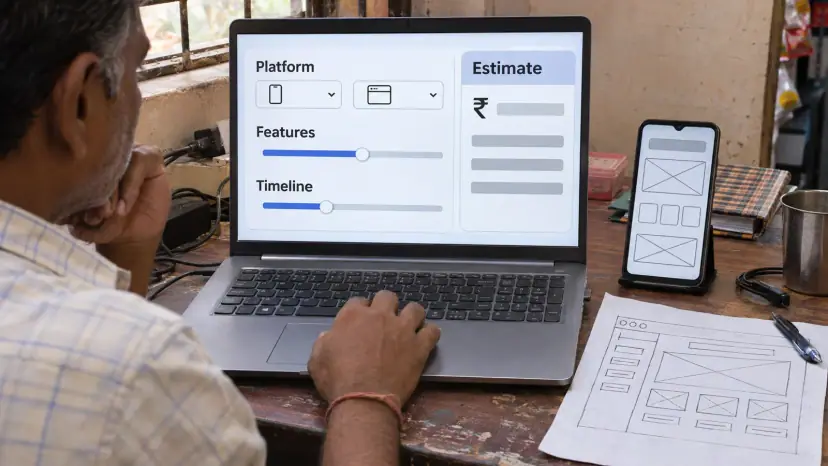
App and Website Cost Calculator for India
See what will drive the cost of your mobile app or website: pick what you are building and get a plain profile of where the work sits, with a reason for each.
Pick the option closest to your hardest feature. Real-time means live chat or tracking; several services means things like a wallet, marketplace and delivery in one app.
What will drive your cost
Planning: Plan time for discovery, design, testing and store review, not only for coding. After launch, set aside a yearly maintenance budget for OS updates, security fixes, hosting and small improvements, because an app left untouched slowly breaks.
A relative guide, not a quote. For a price on your actual feature list, book a free consultation.
What Each Choice Usually Includes
The options in the calculator, and the features each one usually covers. Use them to place your project before you rate it.
Mobile apps
| What the app needs to do | Typical features |
|---|---|
| Content, forms and login | Static content, simple forms, basic authentication, a limited number of screens |
| Payments and dashboards | Payment gateway, user dashboards, push notifications, API integrations, admin panel |
| Real-time, video or AI | Machine learning, real-time chat, video streaming, advanced analytics, multi-role access |
| Several services in one app | Multiple service modules, wallet, marketplace, logistics integration, multi-language support |
| Progressive web app | Runs in the browser with no app store submission; suits content-led and e-commerce products, not deep device features such as Bluetooth or background processing |
Websites
| Website type | What it usually covers |
|---|---|
| Landing page | One page with one goal: copy sections, a call to action and a lead capture form |
| Business site | Multi-page site with a CMS, blog, contact forms and on-page SEO |
| E-commerce | Product catalogue, cart, payment gateway, shipping options and order emails |
| Web application | User accounts, dashboards and data entry: SaaS products, booking tools, customer portals |
| Custom platform | Several user roles with their own interfaces: marketplaces, fintech, healthtech or logistics platforms |
One App, Three Ways to Build It
The same scope run through the calculator three ways, to show which drivers each decision moves.
| Scenario | Platforms | Testing and store release | Scope at launch |
|---|---|---|---|
| An app with payments and dashboards, one cross-platform codebase, full first release | Moderate | Moderate | Heavy |
| The same app built as two separate native apps (iOS and Android) | Heavy | Heavy | Heavy |
| The same cross-platform app, launched as an MVP first | Moderate | Moderate | Light |
Building two native apps instead of one shared codebase makes the platform and release work heavier, because every change is built, tested and submitted twice. Launching as an MVP first keeps the first build light, and the rest can follow what real users ask for.
What Drives App and Website Cost
Most of the difference between two quotes for the same idea comes down to these choices.
Plan Your Build Step by Step
- 1
Pick app or website, then the closest option
If you are between two options, choose the heavier one: features almost always grow during a project.
- 2
Choose platform and extras honestly
Count every integration you will need at launch (payments, CRM, WhatsApp, email). Each one is real work.
- 3
Use the profile to brief vendors
Share a written feature list and ask each vendor to price it, or book a free consultation and we will help you shape the scope.
How the Calculator Rates Each Driver
- Each driver gets a relative effort level: Light, Moderate or Heavy, compared with other projects of the same kind. It is a guide to where the work sits, not a price.
- Features, backend and compliance follow what the app needs to do. Payments, real-time features, AI and wallets each push these up.
- Platforms and release work follow your platform choice. Two native apps are the heaviest; a progressive web app skips store review.
- An MVP makes the launch scope light, whatever else you pick, because only the core journey is built first.
- Websites add up from the site type, with custom design, professional content and the number of integrations rated on their own.
What budgets often leave out
- Real-device testing across the range of Android phones your users actually own.
- Store submission: developer accounts, store listings, review cycles and the rework a rejection causes.
- Analytics and crash reporting: cheap to add at build time, expensive to retrofit.
- Ongoing maintenance: Android and iOS ship new versions regularly, and an app left untouched degrades.
- Content and data migration when you are replacing something that already exists.
Each is covered in more depth in our mobile app development cost guide and website development cost guide.
Questions That Prevent Budget Overruns
- Is the quote fixed for a written scope? Hourly billing without a scope moves risk to you.
- Who owns the code, designs and accounts? They should be yours from day one.
- What is included after launch? Bug-fix window, maintenance plan and response times, in writing.
- How are changes priced? Agree how new requests are estimated before the first one arrives.
Planning a product rather than a one-off build? See our MVP development cost guide and mobile app development services, or book a free consultation.
App and Website Cost: Frequently Asked Questions
What drives the cost of building an app in India?
Features matter most. Payments, real-time chat, video, AI and multiple user roles each add design, build and testing work. Then come the platforms you target, the backend and integrations, design depth, security and compliance needs, and how much you launch with. The calculator rates each of these for your choices.
Why does this calculator not show a price?
Two apps with the same description can differ a lot in screens, integrations, roles and edge cases, so a price shown before anyone reads your feature list would be a guess. Instead the tool shows which parts of your project carry the most work. A firm price comes from a written scope.
Is cross-platform cheaper than building two native apps?
Usually, yes. One React Native or Flutter codebase serves iOS and Android, so most features are built and tested once. Two native apps mean two codebases and every change made twice. Native still makes sense for apps that rely heavily on device hardware or platform-specific features, such as advanced camera work.
How does starting with an MVP change the cost?
An MVP launches with only the core journey that solves the main user problem. The first build is smaller, you reach real users sooner, and later spending follows what they actually ask for rather than assumptions. The trade-off is planning a second phase, so keep the code and design ready to grow.
What ongoing costs should I plan for after launch?
Plan a yearly maintenance budget from the start. It covers bug fixes, security updates, compatibility with new Android and iOS versions, and small improvements. Add hosting, third-party API subscriptions and app store developer accounts. Ask any vendor to state in writing what support they include after launch and how changes are priced.
What does a website build depend on?
The type of site sets the base: a landing page is far lighter than a web application or a multi-role platform. Custom design, professional content and each third-party integration add work on top. Payments and stored user data also bring security and data protection work that a simple brochure site does not need.
How do I get a firm quote for my app or website?
Write down the features you need at launch, the platforms, the integrations and any compliance needs, then ask each vendor to price that same list. If you want help shaping the scope or checking a proposal, book a free consultation with Brainguru and we will go through it with you.
More Free Tools From Brainguru
All free, no sign-up, and they run in your browser.
Want help with this?
Talk to our team about the App and Website Cost Calculator.