In this article
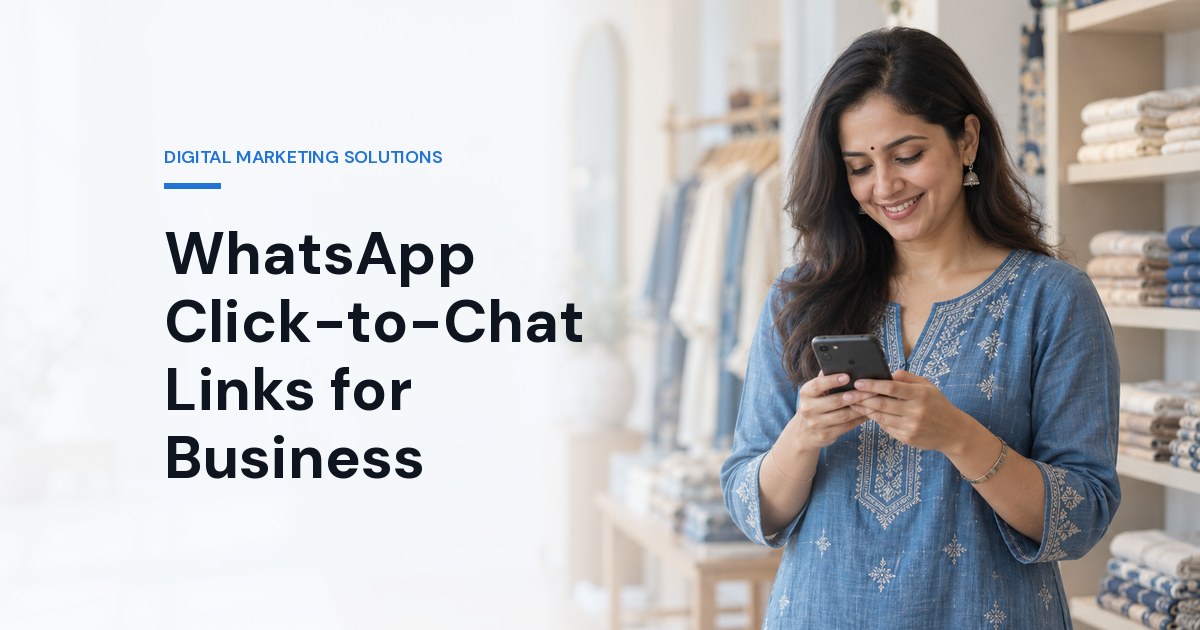
For many Indian customers, the easiest way to contact a business is a WhatsApp message. They don't want to fill in a form, wait for an email or make a call during working hours. A click-to-chat link turns that preference into a one-tap action: the customer taps a link or scans a QR code and a WhatsApp chat with your business opens, often with a helpful first message already typed.
This guide covers how click-to-chat links work, where to use them, how to tell which campaign started a conversation, and the mistakes that waste the clicks. You can create a link, QR code and website button in seconds with our free WhatsApp Link Generator.
How a Click-to-Chat Link Works
WhatsApp's click-to-chat feature uses a simple address: https://wa.me/ followed by the full phone number in international format. The number is written as digits only, starting with the country code, with no plus sign, spaces, brackets, dashes or leading zero. For an Indian mobile that means 91 followed by the 10-digit number.
To pre-fill a message, add ?text= and the message, URL-encoded so that spaces and symbols survive, for example ?text=Hi%2C%20is%20this%20available%3F. When someone taps the link, WhatsApp opens a chat with your number and places the message in the typing box. The customer can edit it before sending, so it is a suggestion, not something sent on their behalf.
The link works with any WhatsApp number. A WhatsApp Business account is not required, but it helps: a business profile, catalogue, greeting and away messages, quick replies and labels make a busy inbox manageable.
Where Click-to-Chat Links Earn Their Place
Product and service pages. A "Chat on WhatsApp" button beside the price or enquiry form catches visitors who would never fill in a form.
Instagram and Facebook profiles. Put the link in your bio so followers can move from browsing to asking in one tap.
Google Business Profile. Customers searching locally often want a quick answer before they visit.
Ads. Click-to-WhatsApp ads and ordinary ads that point to a landing page with a WhatsApp button both work; choose based on whether people need to see details first.
Print and in-store. A QR code on brochures, packaging, standees and shop counters turns offline interest into a conversation.
Email signatures and invoices. An easy way for existing customers to ask follow-up questions.
Write a First Message That Helps You Reply
The pre-filled message is the most under-used part of the link. A generic "Hi" forces you to ask what the customer wants. A specific message gives you context before you reply:
A property page: "Hi, I'd like the price and availability for the 2BHK in Sector 150."
A clinic: "Hi, I'd like to book a consultation. Which days are available this week?"
An online store: "Hi, is this product available in size M?"
Keep it short, written in the customer's voice, and specific to the page the link sits on. Different pages deserve different messages.
Examples by Industry
Illustrative set-ups, to adapt to your own business:
Real estate developer. One link per project page, each with a message naming the project and unit type, and a QR code on every site-office standee. Sales staff can see which project each enquiry is about before replying.
Clinic or diagnostic lab. A "Book on WhatsApp" button on each service page with a message asking for the preferred day, plus clear business hours in the greeting message so patients know when to expect an answer. Keep medical questions to qualified staff.
Coaching institute. Separate links for admissions, fee queries and existing students, so each chat reaches the right person, with a reference tag for each seminar or ad campaign.
Restaurant or local shop. A QR code on the counter and takeaway bags that opens a chat for orders and bulk enquiries, plus the link in the Google Business Profile.
How to Tell Which Campaign Started a Chat
Analytics tools see a click on the link, not the WhatsApp conversation that follows. UTM parameters added to a wa.me link do not reach WhatsApp, so they cannot tell you anything about the chat. Two practical methods work:
A reference in the message. Add a short tag such as "(ref: Diwali-Instagram)" to the pre-filled text. The first message in each chat then tells you where it came from. Use a different reference for each ad, post or poster. The generator adds it for you.
Track the click on your website. Count clicks on the WhatsApp button as an event in your analytics, and tag the links that bring visitors to that page with UTM parameters using the UTM Link Builder. You then know which campaigns bring visitors who go on to start a chat.
Record the reference in your CRM or a simple sheet when you reply, so you can see later which sources produce customers, not just chats. Our guide to turning website traffic into leads covers the wider funnel.
Common Mistakes
Wrong number format. Including a plus sign, spaces or a leading zero breaks the link on some devices. Use digits only with the country code.
Nobody answers. A chat that waits hours for a reply is worse than no button. Set business hours and a greeting so customers know when to expect an answer.
One link everywhere. The same generic link on every page and ad loses the context that makes WhatsApp useful.
Treating a chat as marketing consent. A customer asking a question has not agreed to receive promotions. Ask before you send offers, and follow WhatsApp's business policies.
Using a personal number for the whole team. As volume grows, a shared business setup or the WhatsApp Business Platform keeps conversations from depending on one person's phone.
When to Move Beyond a Link
A click-to-chat link is the right start for most small businesses. When dozens of chats arrive each day with the same questions, automation starts to pay: a chatbot can answer prices, timings and availability instantly and pass serious enquiries to a person. Our guides to WhatsApp chatbot use cases in India and WhatsApp chatbot development cost explain when that step makes sense.
Frequently Asked Questions
How do I create a WhatsApp click-to-chat link?
Write https://wa.me/ followed by your full international number with digits only, country code first and no plus sign, spaces or leading zero. Add ?text= and a URL-encoded message if you want the chat to open with a suggested first message.
Do I need WhatsApp Business to use a wa.me link?
No. Click-to-chat links work with any WhatsApp number. WhatsApp Business adds tools such as a business profile, catalogue, greeting messages and labels that help when many customers message you.
Can I track WhatsApp chats in Google Analytics?
Analytics can count clicks on your WhatsApp button but cannot see the conversation in WhatsApp. Add a short campaign reference to the pre-filled message so each chat shows where it came from, and track button clicks as an event on your website.
Does a pre-filled message send automatically?
No. The message appears in the customer's typing box and they decide whether to edit and send it. Nothing is sent without them tapping send.
Can I make a QR code for my WhatsApp link?
Yes. Any QR code that encodes the wa.me link opens the chat when scanned. The WhatsApp Link Generator creates one you can download and print.
Where Brainguru Can Help
We set up WhatsApp journeys that connect to your sales process: WhatsApp chatbots, AI chatbot development and the website that sends people to the chat. Create your first link with the free WhatsApp Link Generator, or get in touch on +91-8010010000.
Related Articles
DPDP Act 2023 for Digital Marketers in India: The 2026 Compliance Checklist (CRM, Ads, WhatsApp, Cookies)
Practitioner's guide to DPDP Act 2023 compliance for Indian digital marketers: CRM purpose tagging, cookie banner spec, channel-by-channel impact, sector callouts, plus a 14-point self-audit checklist.
Read More
10 Digital Marketing Strategies for Indian SMEs in 2026: Budget, Stack & Channel Priorities
Practical 2026 digital marketing strategies for Indian SMEs: budget tiers (₹15K to ₹2L/mo), illustrative scenarios (D2C, B2B SaaS, local services), and a stack that actually works for a 5-to-50 person business.
Read More
Local SEO for Noida Businesses (2026): How to Rank Higher on Google Maps
Step-by-step local SEO playbook for Noida businesses: GBP optimisation, NAP consistency, reviews via WhatsApp+QR, local backlinks. Illustrative Noida scenarios inside.
Read More
Comments
Be the first to share your thoughts on this article.