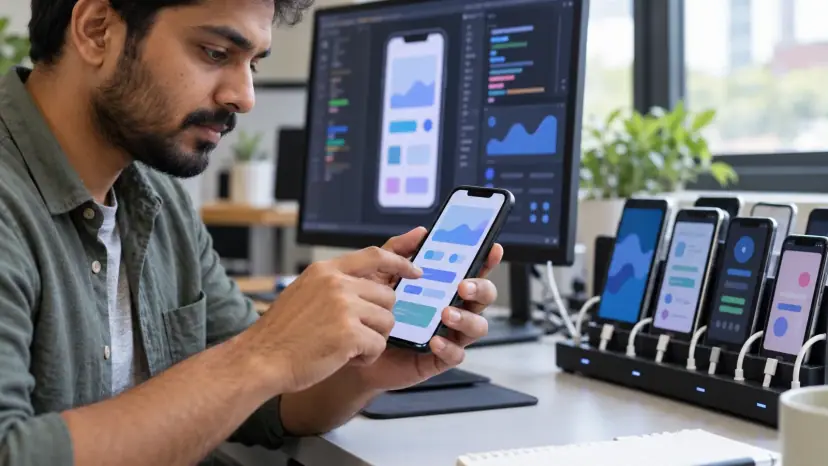
Android app development is the work of planning, designing, building, testing and publishing apps for phones, tablets and other devices that run Android. Brainguru offers Android app development services in India for startups and established businesses, from first scope and design to Play Store release and the updates an app needs every year after launch.
Why build for Android?
In India, Android is where most of your customers are. According to StatCounter, Android had a 94.84% share of mobile operating systems in India in October 2026, against 5.1% for iOS. Worldwide, StatCounter puts Android at 72.36% for the same month. For a business selling to Indian consumers, an Android app is usually the first app to build, not the second.
The audience is still growing. DataReportal's Digital 2026 India report counted 1.03 billion internet users in India in October 2025, or 70.0% of the population. Many of the newer users are on lower-cost Android phones with limited storage and patchy connections, which shapes how a good app should be built.
Android also runs on more than phones: tablets, smartwatches with Wear OS, TVs, cars with Android Automotive, and rugged devices used in warehouses and field work. One back end can serve all of them.
Our Android app development services
- Consumer apps: Shopping, booking, content, loyalty and service apps for customers, with payments, notifications and account features.
- Business and field apps: Apps for sales teams, delivery staff, technicians and warehouses, including offline use and barcode or camera scanning.
- E-commerce and marketplace apps: Catalogues, carts, UPI and card payments, order tracking and seller tools.
- Wearable and connected device apps: Apps that pair with watches, fitness devices and Bluetooth hardware.
- MVPs: A first version with the core features, built to test demand. See our MVP development services.
- Modernisation: Moving older Java apps to Kotlin and Jetpack Compose, or fixing apps that crash, drain batteries or fail Play policy checks.
- Maintenance and support: Bug fixes, security patches, library upgrades and updates for each new Android version.
Native or cross-platform?
Native Android development uses Kotlin, the language Google recommends for Android, with Jetpack Compose for the interface. It gives the best access to device features and the most predictable performance. Cross-platform frameworks such as Flutter and React Native share one codebase between Android and iOS, and Kotlin Multiplatform shares business logic while keeping native screens.
| Approach | When it usually fits |
|---|---|
| Native Kotlin | Android-first products, heavy use of device hardware, demanding performance, long-lived apps |
| Flutter or React Native | Apps needed on Android and iOS quickly, with standard screens and a single team |
| Kotlin Multiplatform | Shared business logic across platforms while keeping native interfaces |
We recommend an approach after understanding your users, features and budget. Our cross-platform app development page explains that route in more detail.
How an Android project runs
- Discovery: Users, goals, key journeys, integrations and the devices your users actually own.
- Design: Wireframes and a clickable prototype following Material Design, tested with real users. Our UI and UX design team handles this stage.
- Build in short cycles: Working builds every one or two weeks, shared through internal testing tracks so you can try them on your phone.
- Testing: Automated tests with tools such as Espresso, plus manual checks on a spread of real devices, screen sizes and Android versions.
- Release: Store listing, screenshots, data safety form, signing and staged rollout on Google Play.
- Support: Crash monitoring, user feedback, fixes and new features after launch.
Google Play rules you need to plan for
Publishing is not a one-time step. Google raises its minimum requirements every year. Under Google's target API level requirements, from 31 August 2026 new apps and app updates must target Android 16 (API level 36) or higher to be submitted to Google Play, with some exceptions for Wear OS and Android Automotive apps. An app that is not updated eventually cannot ship fixes, so budget for a yearly upgrade.
Play also asks for a data safety declaration that describes what data your app collects and shares, and reviews apps that request sensitive permissions such as location, contacts or SMS. Ask only for the permissions a feature truly needs, and explain why in the app.
Building for Indian users and devices
- Low-end phones: Keep the app size small, start-up fast and memory use low. Test on budget devices, not only flagships.
- Patchy networks: Cache data, retry gracefully and let key tasks work offline where possible.
- Languages: Plan for Hindi and regional languages, including longer text and different scripts in the layout.
- Payments: UPI is often the preferred way to pay, alongside cards and wallets.
- Privacy: India's Digital Personal Data Protection Act, 2023 applies to the personal data your app collects, with main duties starting on 13 May 2027 under the DPDP Rules.
Security in Android apps
Store secrets on the server, not in the app. Use Android's encrypted storage for anything sensitive on the device, send all traffic over HTTPS, check permissions on the server for every request, and keep libraries up to date. For apps that handle money or health data, plan an independent security test before launch and after major releases.
What affects the cost of an Android app?
We do not publish prices, because apps with the same name can differ greatly in effort. These factors decide the estimate:
- Features and screens: The number of user journeys and how complex each one is.
- Native or cross-platform: Whether you need Android only or Android and iOS together.
- Back end: A new server, admin panel and APIs, or connection to systems you already have.
- Integrations: Payments, maps, CRM, ERP, hardware and third-party services.
- Design depth: Standard Material components or a fully custom design.
- Device coverage: Phones only, or also tablets, watches, TVs or rugged devices.
- Support after launch: Yearly Android upgrades, monitoring and new features.
For a wider look at budgets, see our guide to mobile app development cost for startups.
Questions to ask any Android development company
- Ownership: Will you own the source code, the Play Console account and the signing keys?
- Devices: Which real devices and Android versions will the app be tested on?
- Updates: How will the app keep up with Google Play's yearly target API requirements?
- Releases: Will you use staged rollouts, and how fast can a bad release be stopped?
- Handover: What documentation will you get, and could another team take over the code?
We are happy to answer each of these in a free consultation. We work with clients in India and abroad, with delivery from our Noida office.